Manage lead engagement, messaging, and event reminders effectively on 10times
10times, as an open networking platform, enables organizers to seamlessly communicate with their potential audience. You can connect with leads, send mass messages, schedule reminders, and collect feedback—all from a single section on your dashboard.
How to Access Communication Settings
Step 1: Select your event from the Dashboard
Step 2: Click on “Communication” from the left panel
(Refer to the image below)

Step 3: You will be directed to the Communication dashboard, where you can view segmented statistics and engagement data

Custom Messages for Leads
Scroll down to find the Custom Messages section for exhibitors and visitors

Enable the toggle to activate custom messaging
A message box will appear where you can draft your message

This helps you personalize communication with your audience and improve engagement.
Mass Messages & Invites
To expand your reach and boost engagement:
Use Mass Messages to communicate with multiple leads at once
Use Send Invites to promote your event to a broader audience

To send invites, you may refer to this article. and to mass message pls click here to know more.
You can also send unlimited mass messages during the event, ensuring real-time communication with attendees.

Event Reminders
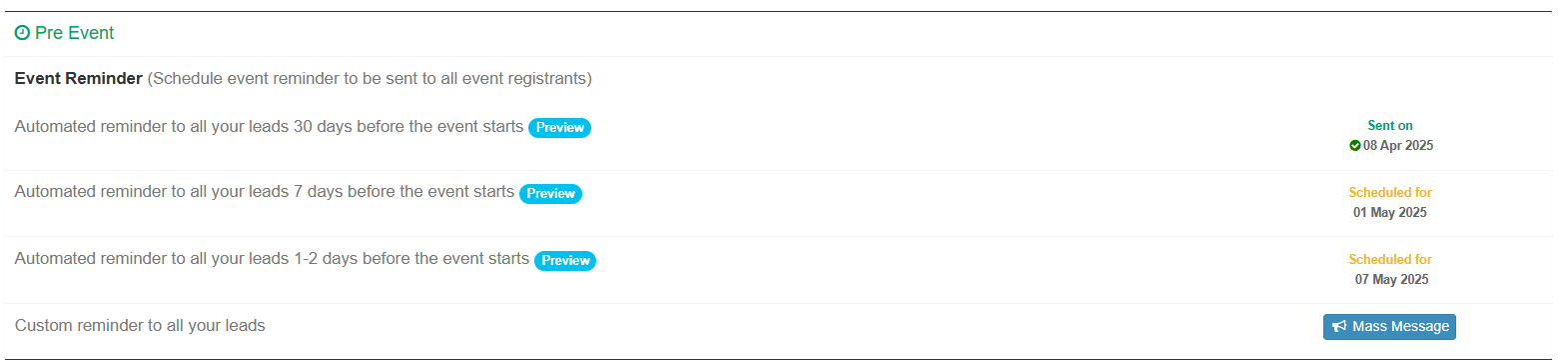
Automated reminders are sent to all leads 30, 7, and 2 days before the event
You can also schedule additional reminders or send mass messages to all leads manually
Post-Event Feedback Reminders
Automated feedback reminders are sent to attendees 1, 4, and 7 days after the event
You can also schedule custom feedback reminders and send mass messages to attendees

You can refer to this article to know more about feedback.
By leveraging the Communication & Reminders feature, you can ensure consistent engagement with your audience, improve attendance rates, and gather valuable feedback to enhance future events.

Was this article helpful?
That’s Great!
Thank you for your feedback
Sorry! We couldn't be helpful
Thank you for your feedback
Feedback sent
We appreciate your effort and will try to fix the article