HUBS on 10times - Connect, collaborate and converse with Industry peers seamlessly.
In the fast-paced world of business and events, staying connected with industry peers, sharing insights, and promoting your brand are essential components for success. This is where Hubs, a specialised business community feed, steps in. Tailored to specific industries and topics, Hubs serves as a virtual space where like-minded individuals can converge, network, seek assistance, and share valuable content. In this article, we will explore the features of Hubs and how it can benefit event organisers.
What is Hubs?
For event organisers and planners, Hubs serves as an additional channel to promote events and interact with a targeted audience. By joining industry-specific communities, organisers can:
Reach a relevant and engaged audience
Increase event visibility
Build stronger connections within their niche
Enhance their overall event marketing strategy
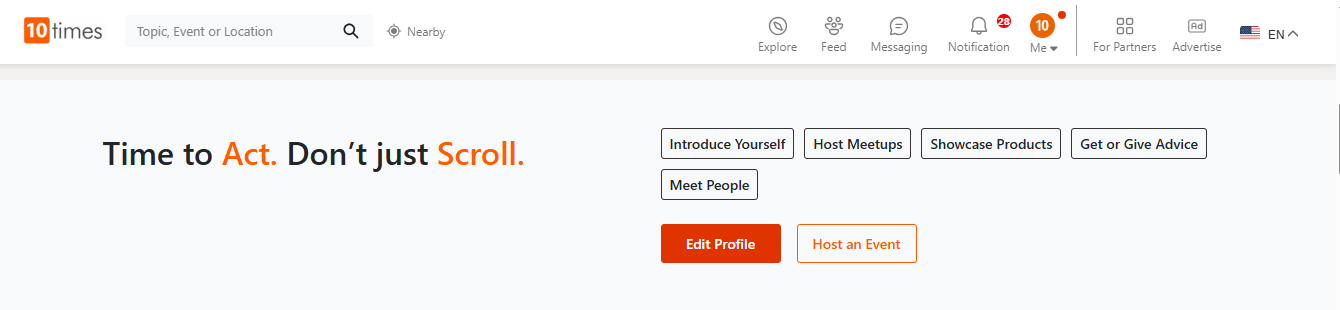
Step 1: Go to 10times.com & scroll to the Hubs Section (reference img below)
How can Hubs benefit organisers?
For organisers and event-planners, Hubs offers a valuable additional touchpoint and channel for promoting their shows and engaging with their audience. It serves as an extension of an event marketing strategy, providing a fresh avenue to connect with relevant audiences. By joining industry-specific Hubs, event organisers can tap into a pre-existing community interested in their niche, creating opportunities for increased visibility and engagement.
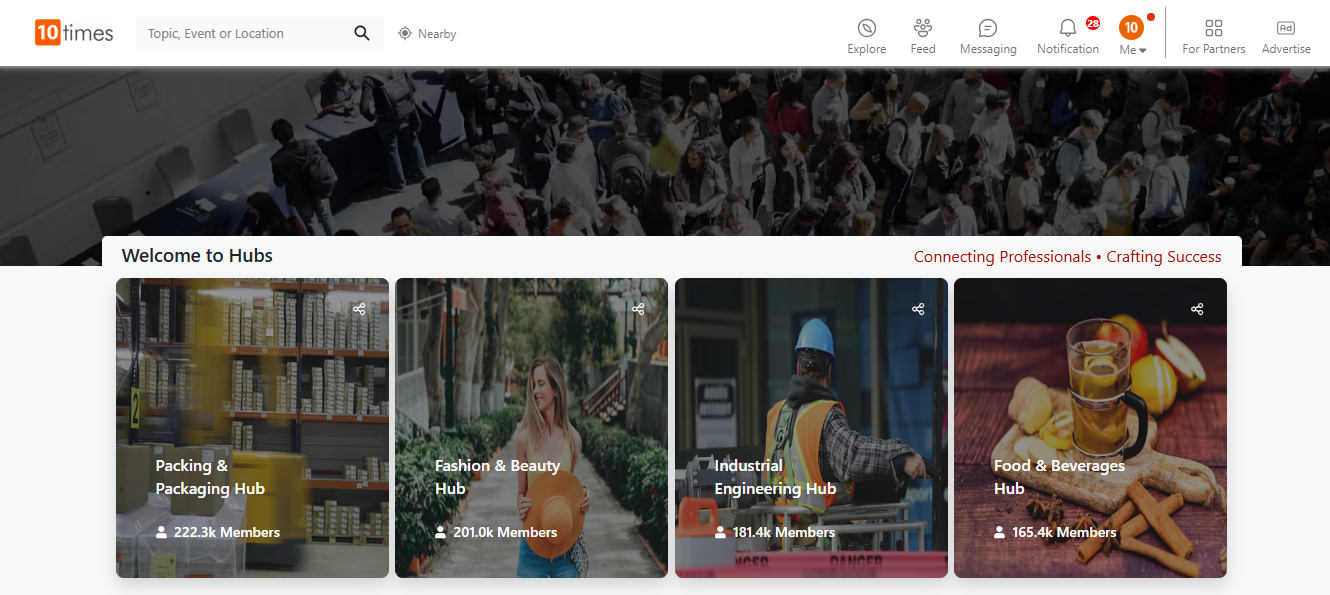
Step 2: Welcome to the Hubs Section
What can an event planner share in the hub?
To maximize impact, planners can treat Hubs like a blend of professional and social platforms, focusing on engaging and value-driven content. Here are some effective content ideas:
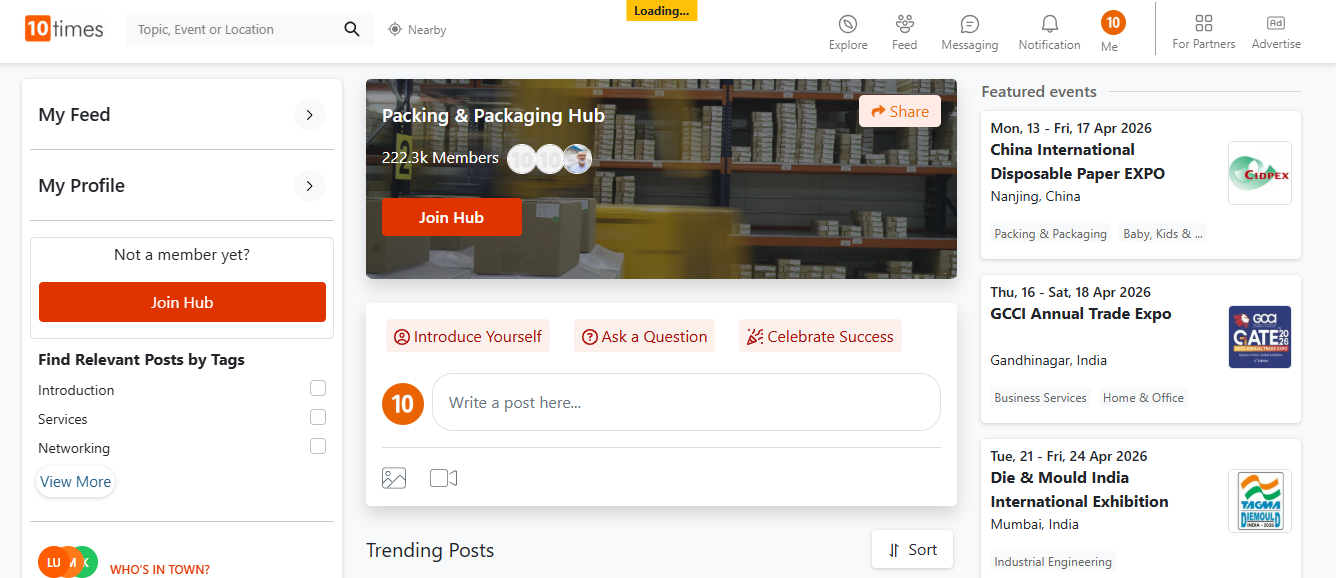
Step 3: By clicking on any category Hubs, navigate through the world of Networking
Event Highlights: Share photos, videos, and testimonials from past events to showcase success stories
Thought Leadership: Post insights on industry trends, challenges, and innovations to position your brand as an expert
Industry Insights: Share relevant news, articles, and research to keep your audience informed
Tagging & Networking: Engage with others by tagging, commenting, and participating in discussions to build meaningful relationships
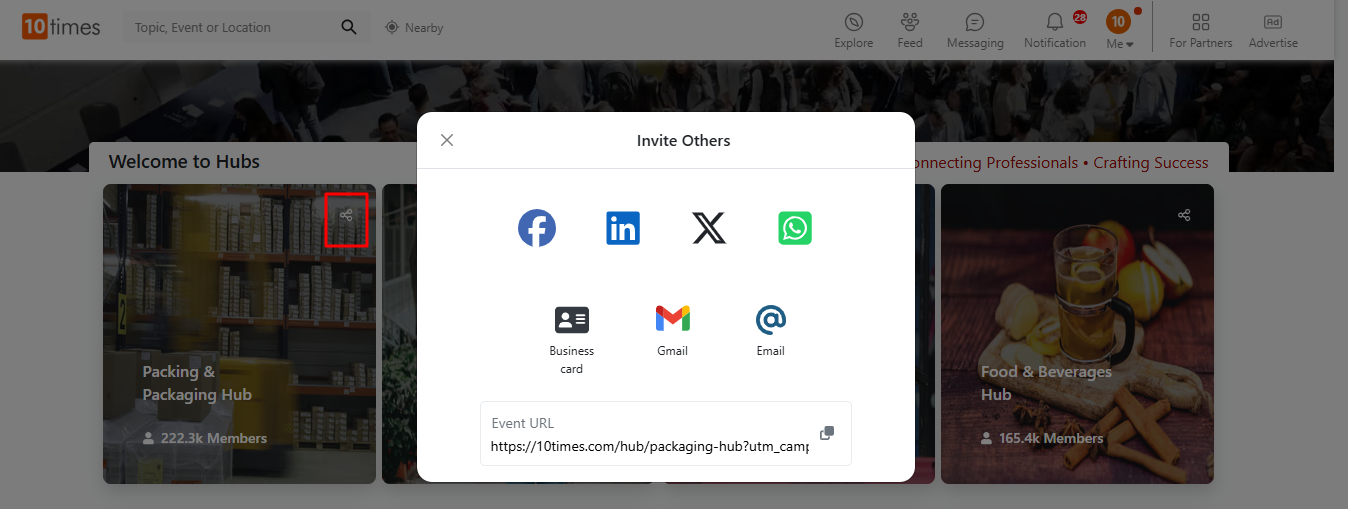
Invite Others to Hubs
You can also invite others to join Hubs by selecting a category and using the sharing options available in the settings.
By leveraging Hubs strategically, event planners can expand their reach, actively participate in industry conversations, and create a lasting impact within their professional community.
Was this article helpful?
That’s Great!
Thank you for your feedback
Sorry! We couldn't be helpful
Thank you for your feedback
Feedback sent
We appreciate your effort and will try to fix the article