How to make announcement to all the registered users?
You can mass communicate with your registered users, at the event level, before and during the event via the dashboard. This message goes in the form of an email to their registered email IDs.
To send the mass message, kindly follow the steps below:
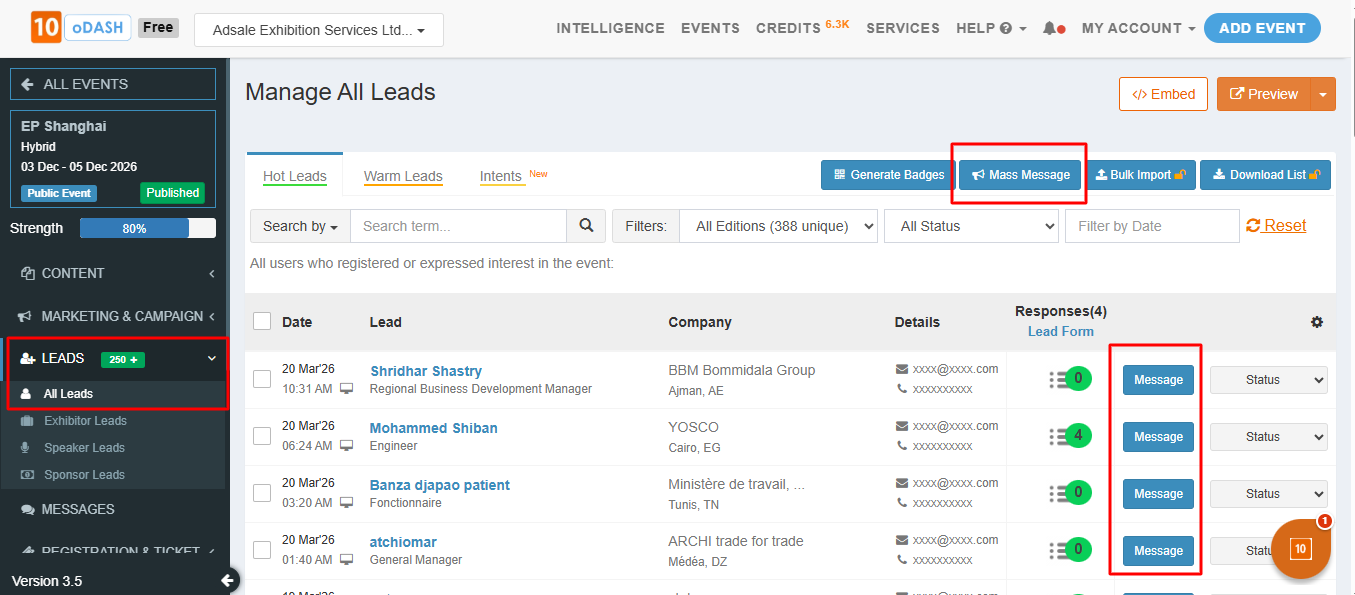
Go to Leads from the Left Menu of your organisers' dashboard
Click on "All Leads "
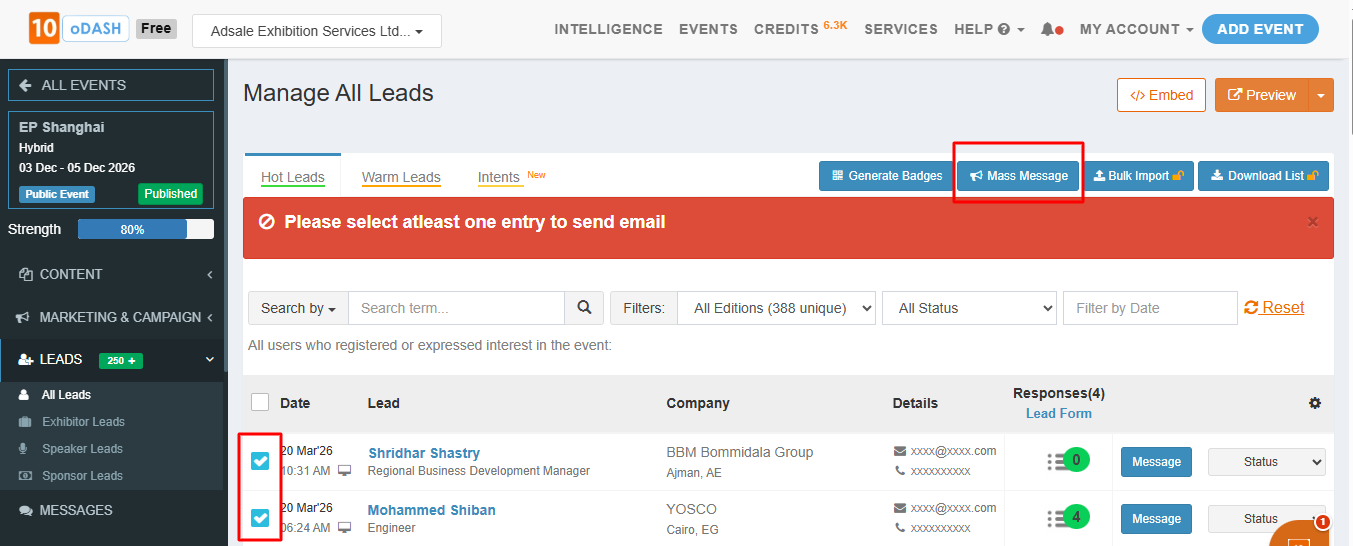
Select all users to whom the message is to be sent
Click on "Mass Message"
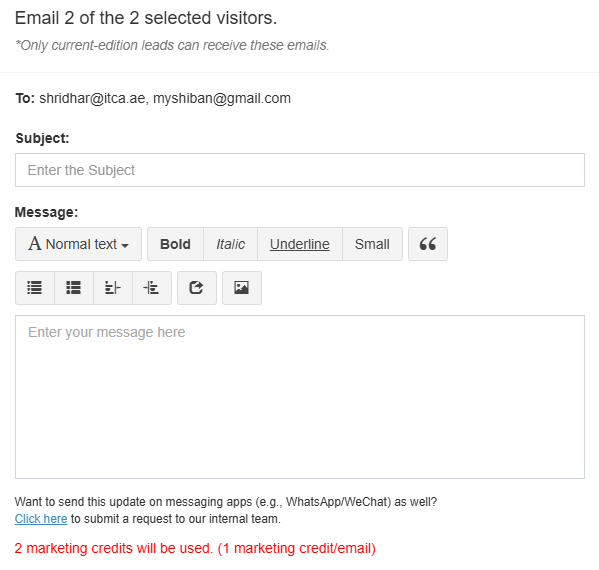
Mail format will pop up, write the Subject, type in the description/ content
Click on Send Email
The email would be instantly delivered on the respective Email ID's
Note:
The other categories which you see (exhibitors/ speakers/ sponsors) are those users who have shown interest in your event on 10times event page. They are not the participants (booths/ speakers) in the event.
The users who have filled in complete profile details while registering for the event, only they will show under visitors list above. Mass message can be sent only to them.
Mass message will be a one way communication and user will not be able to reply
Earlier mass messages are free, now credits sre required to send mass message, for Visitors it will be 1 per user and Exhibitor 5 per user
User will be able to insert link of images and that image will be shown as an image only in message and not link. Note: a paid plan is required to insert links and it can't be done on free plan
User will not be able to add phone and email in the message
Website links are allowed if they are not blacklisted in our system
Mass Message can only be sent to the users from the current edition. You can send a re-invite to past edition users
Was this article helpful?
That’s Great!
Thank you for your feedback
Sorry! We couldn't be helpful
Thank you for your feedback
Feedback sent
We appreciate your effort and will try to fix the article